Junit with Eclipse
1.新增 Junit 5
設定 Build Path
在專案上按右鍵,選擇 Build Path → Configure Build Path。
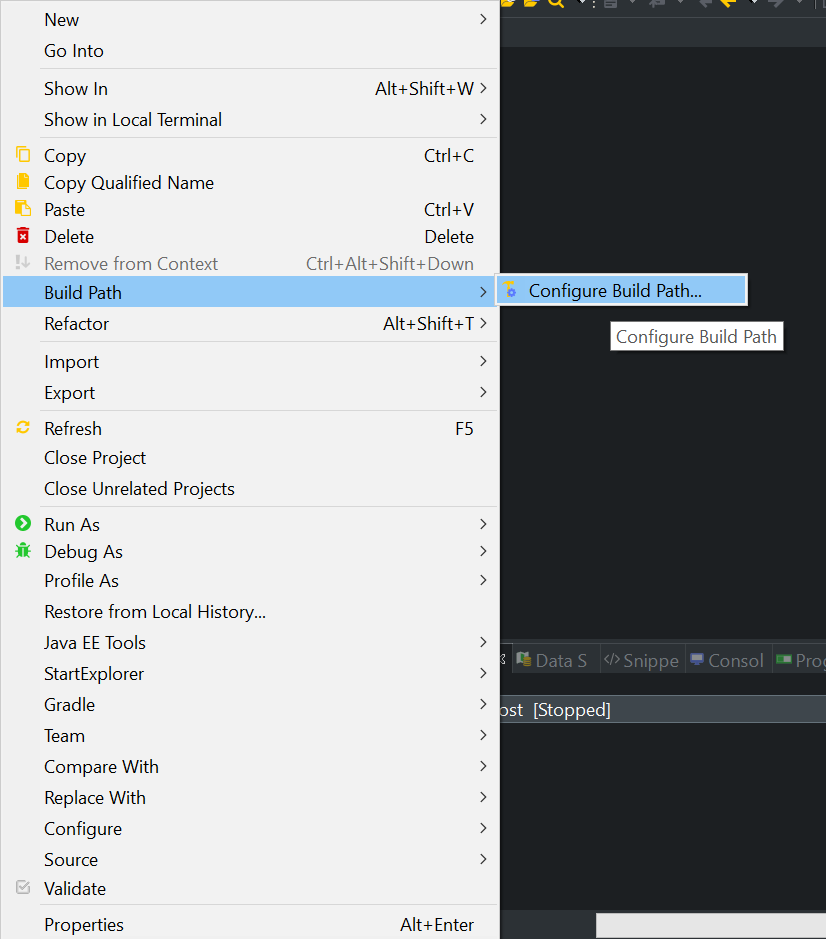
選擇 Libraies »Classpath »Add Libray

Add Library »» junit
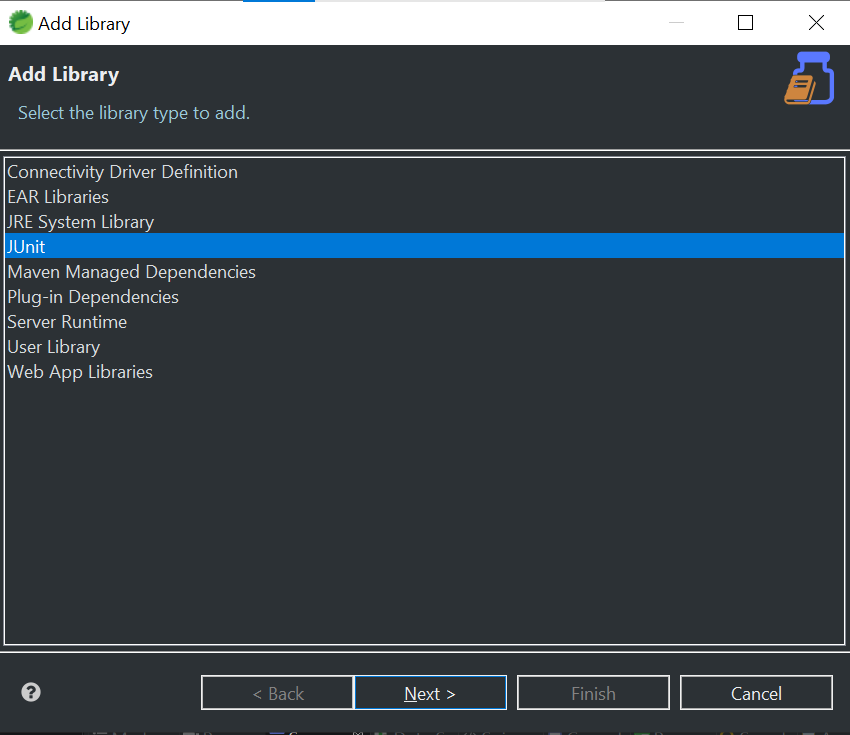
Add Library »» junit5
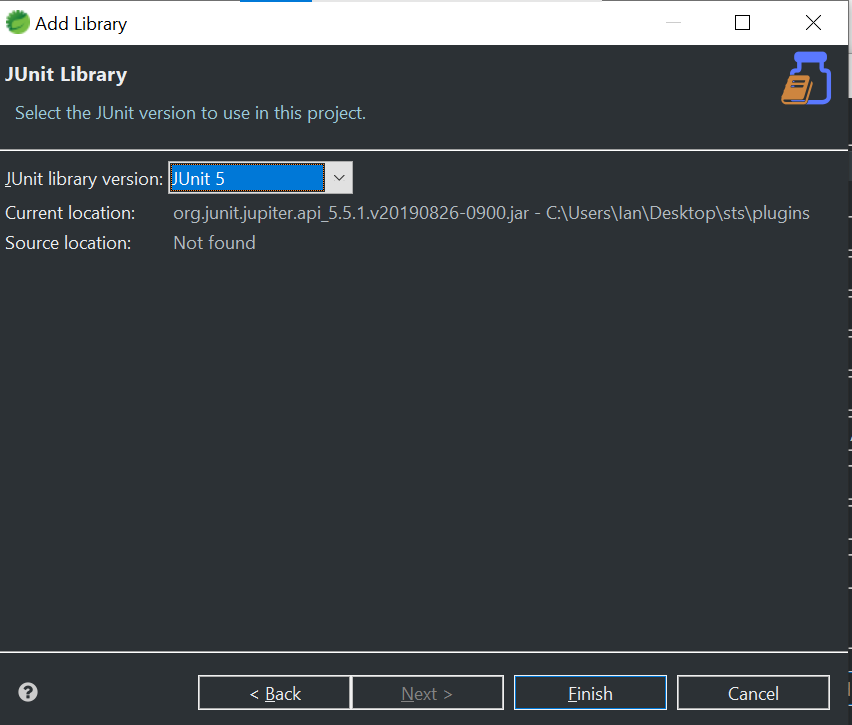
加入完成
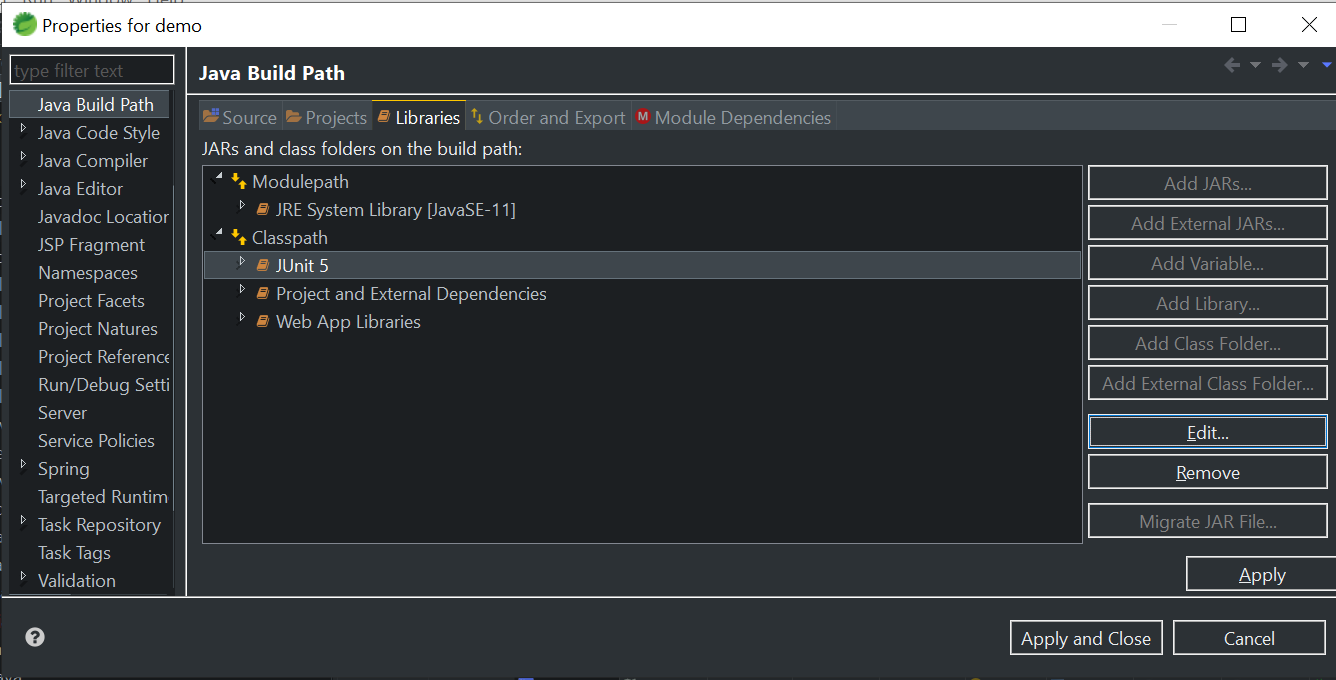
2.Junit 引數設定
1.點選 於 Test.java(測試的類別) 點右鍵 »>Run AS »»Run Configuations
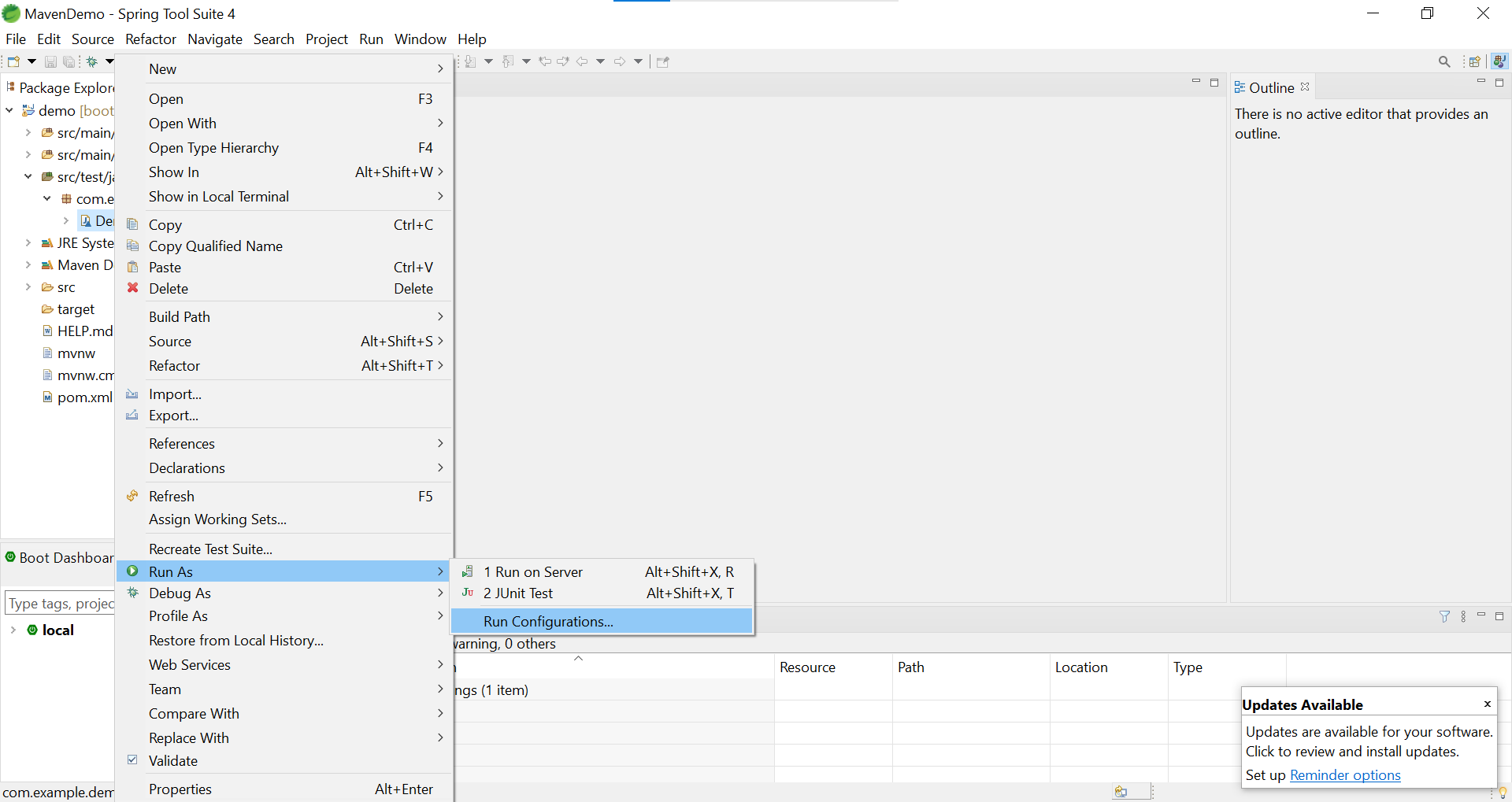
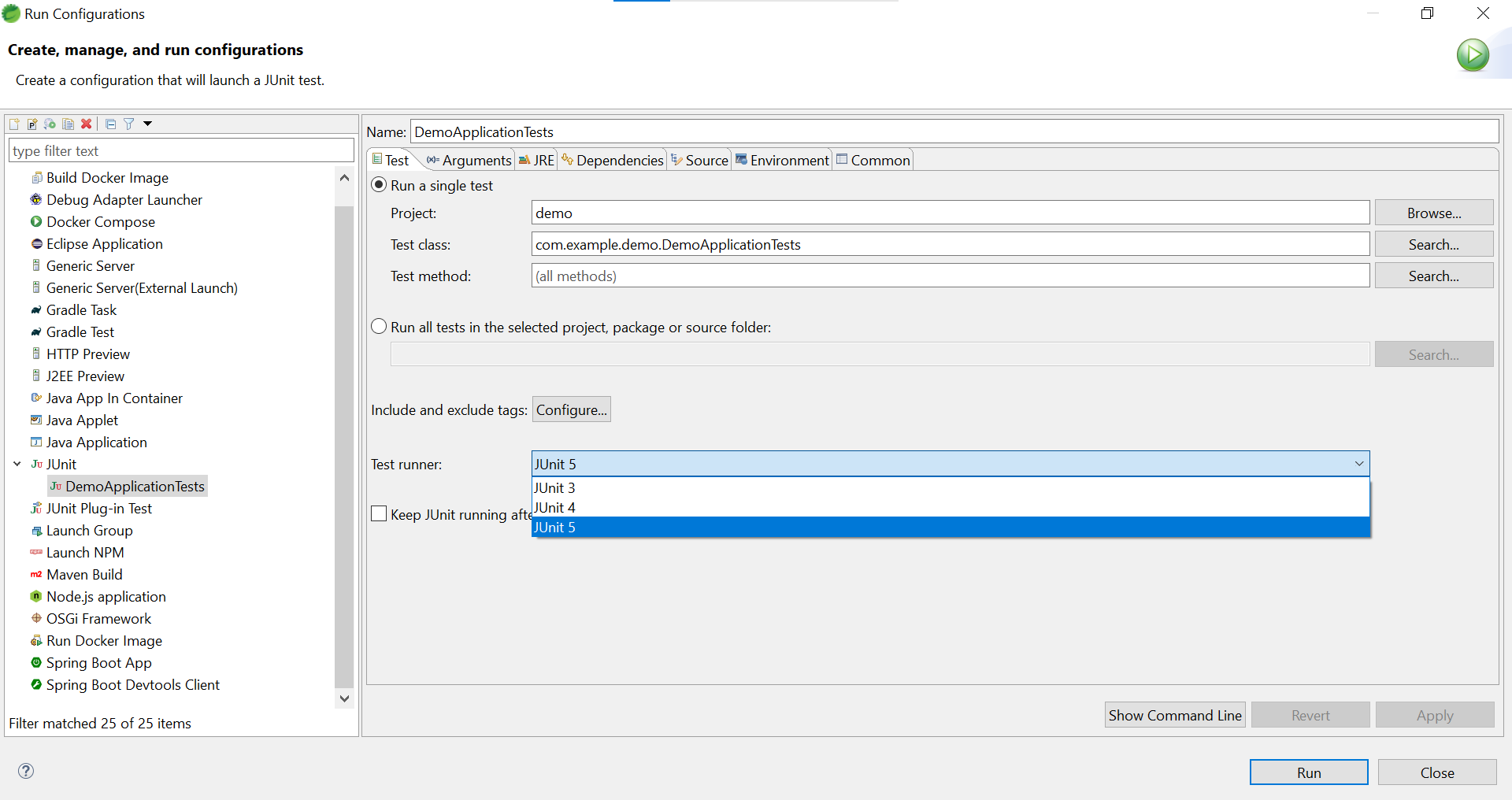
2.開啟設定
Test runner : 可以選擇 版本
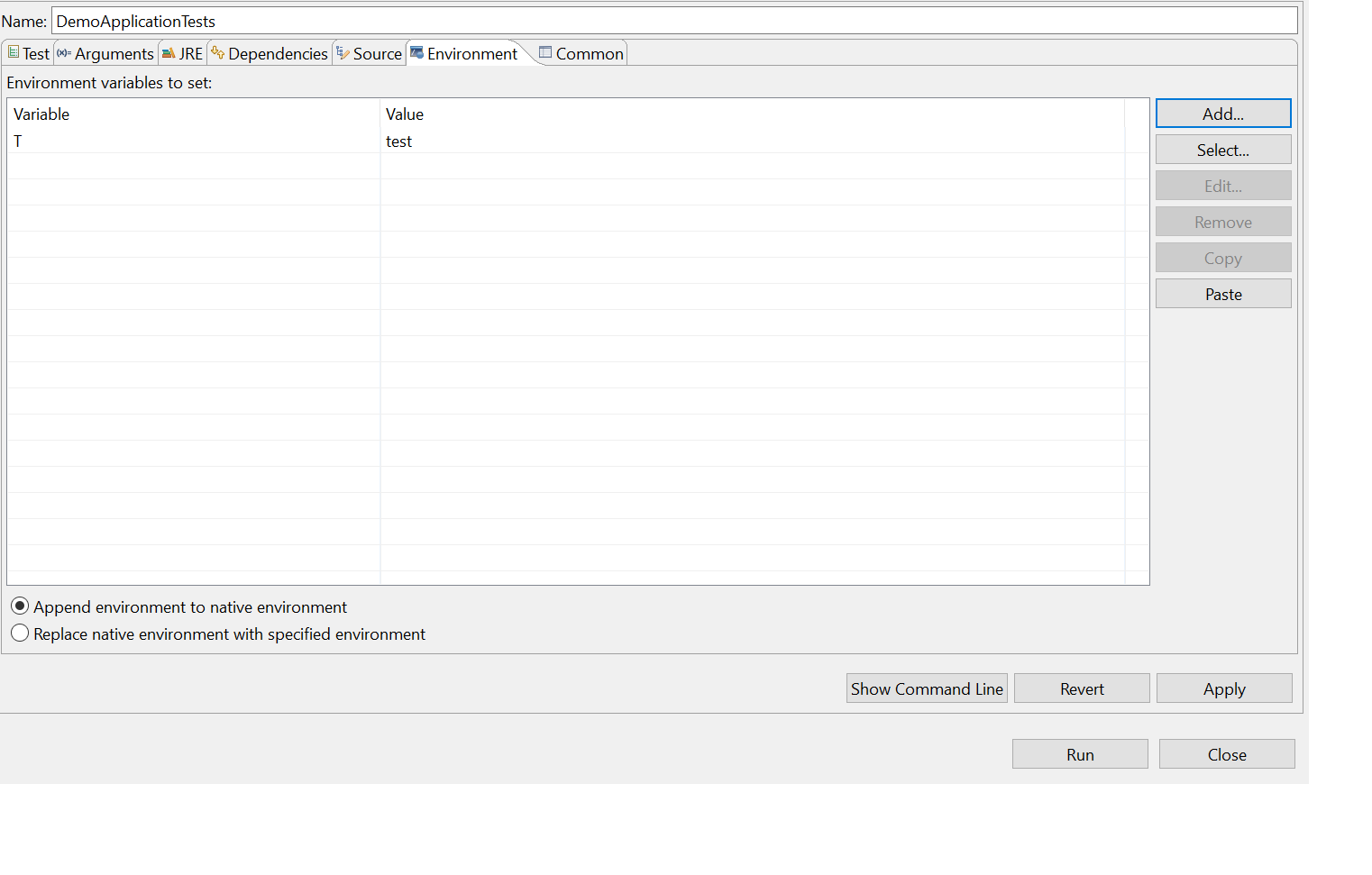
Enbironment : 可以選擇 環境變數
冒險者留言
comments powered by Disqus